A Mobile App for Hockey Players
Introduction
SensScore Digital Inc., a company based in the USA and Switzerland, is venturing into the global ice hockey landscape with a vision to bridge the gap between various stakeholders in the sport.
The project aims to address the absence of an online platform that unifies the world of ice hockey and provides a social network for collaboration and performance tracking.
1. Background
With an estimated 6.7 million ice hockey players worldwide, SensScore identifies a significant market need for a comprehensive digital platform catering to players, coaches, team doctors, scouts, and other stakeholders.
Existing platforms lack integration and fail to provide detailed performance and health insights. SensScore seeks to fill this gap by creating the Athletes’Cloud, complemented by a marketplace for equipment and services.
2. Project Scope and Objectives
The project aims to develop a high-fidelity prototype based on preliminary research.
Key features will be outlined within the scope of a minimum viable product (MVP), emphasizing usability and accessibility standards.
The platform will be designed as a Progressive Web App, initially in English with provisions for expansion into other languages.
Process
The project implementation of SensScore’s Athletes’Cloud follows a structured approach derived from Garrett’s five layers model.
1. Strategy
The initial phase focuses on establishing a strong foundation by understanding product objectives, business goals, and user needs. Methods such as an analysis of existing documents, benchmarking, stakeholder workshops, and user interviews are employed to gather insights and define strategic directions.
1.2. As-Is Analysis
The project begins with a comprehensive analysis of available documents and artifacts, including a detailed examination of the existing prototype. This involves listing all features and elements of the prototype to establish a foundational understanding of the project’s current status.
1.3. Benchmark and Competitor Analysis (High-level)
Following the As-Is Analysis, the project conducts a high-level benchmarking and competitor analysis. This entails conducting initial desk research to identify similar products in related domains and analyzing their features and functionalities. By examining competing products, the team acquires valuable insights into market trends and user expectations, informing strategic decisions and product differentiation.
1.4. Stakeholder Workshop and Meetings, including Kick-Off Meeting
Stakeholder engagement is prioritized through workshops and meetings, with a dedicated kick-off session to inaugurate the project. During these sessions, stakeholders are identified, collaboration frameworks are established, and business requirements are clarified.
1.5. User Interviews & crafting Personas
User-centricity is emphasized through interviews with key user groups, aimed at capturing their requirements, needs, and pain points. Feedback on the existing prototype is solicited to further refine the project scope. Based on the insights gleaned from these interviews, proto-personas are developed to represent typical users. These personas serve as guiding principles throughout the project, ensuring that the development process remains focused on meeting user needs and expectations.
2. Scope
The Scope phase follows Strategy, translating needs into platform requirements.
Initially, the scope is ambitious, covering various features.
Through collaboration and workshops, it’s refined to prioritize key features like player and coach dashboards and a style guide. As the project progresses, adjustments to the scope occur iteratively.
3. Structure
After defining and prioritizing requirements, the Structure phase focuses on creating a conceptual framework for the web app. This framework, consisting of interaction design and information architecture, aims to ensure a cohesive user experience.
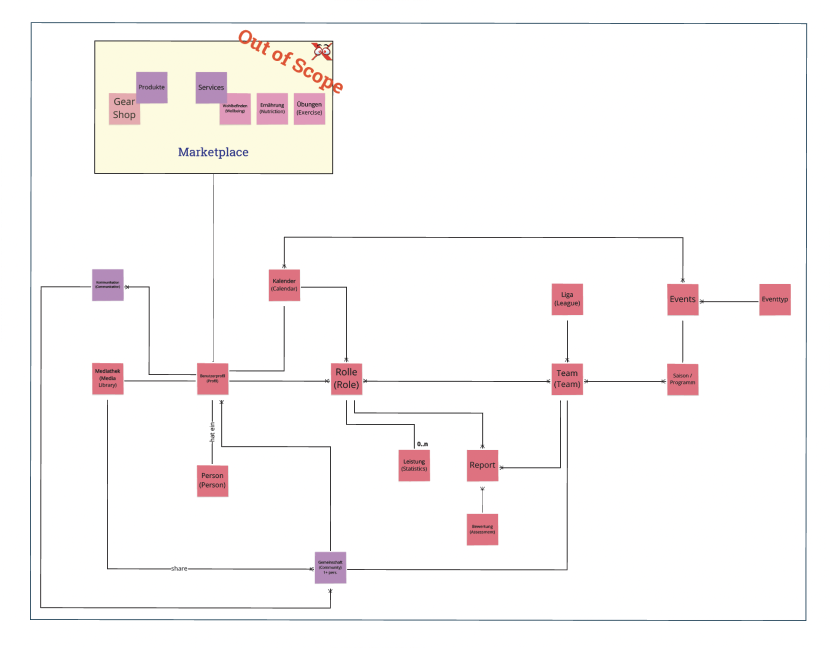
3.1 Methodologies
- Use Cases: Derived from user interviews, these outline user needs and platform requirements in simple language, ensuring completeness and clarity.
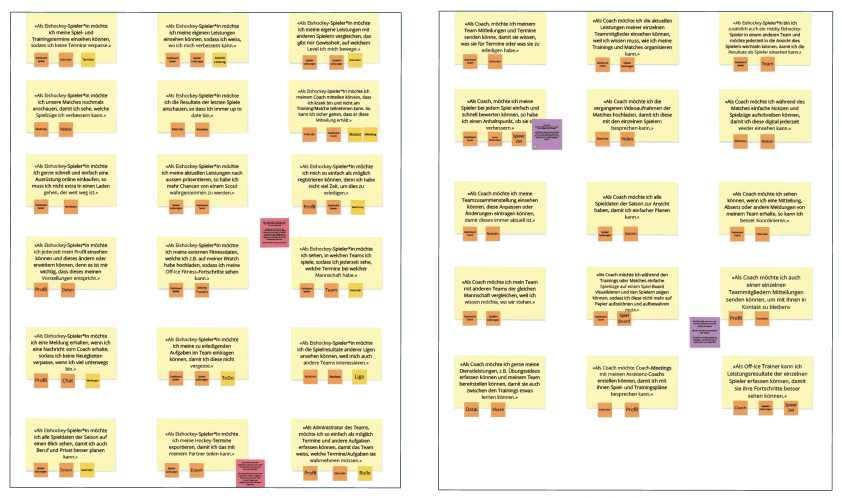
- Domain Model: It connects the defined objects to the different use cases. This help to visualize complex information relationships within the hockey domain.
-
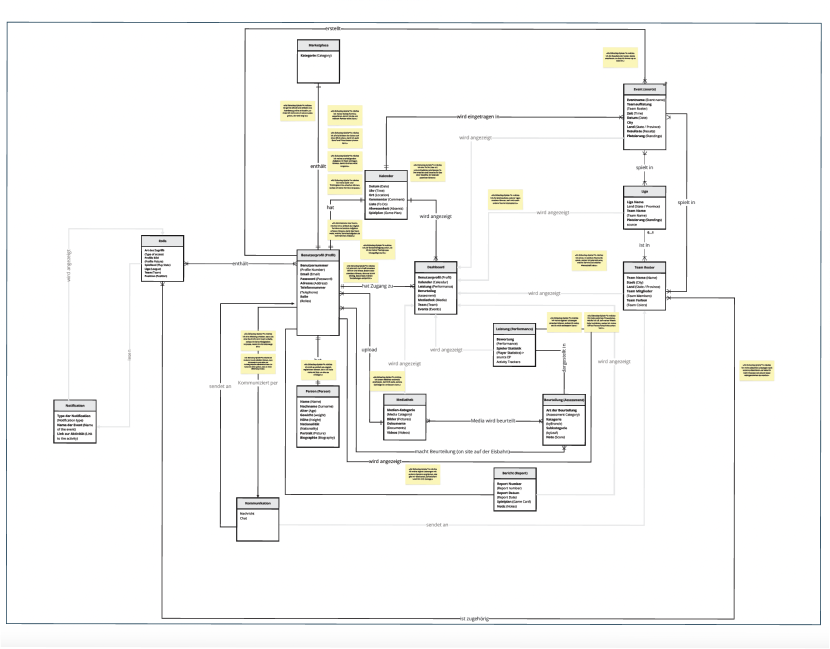
Content Model: Transforms domain model objects into categories with assigned attributes, providing an overview of data relationships and specific cases within the web portal.
-
Content Types: Defines guidelines for incorporating different content types, ensuring correct integration and consistency across the platform.
4. Skeleton
The Skeleton phase involves designing elements to facilitate user interaction with system features, giving the platform its initial form. This phase refines interface, navigation, and information design aspects.
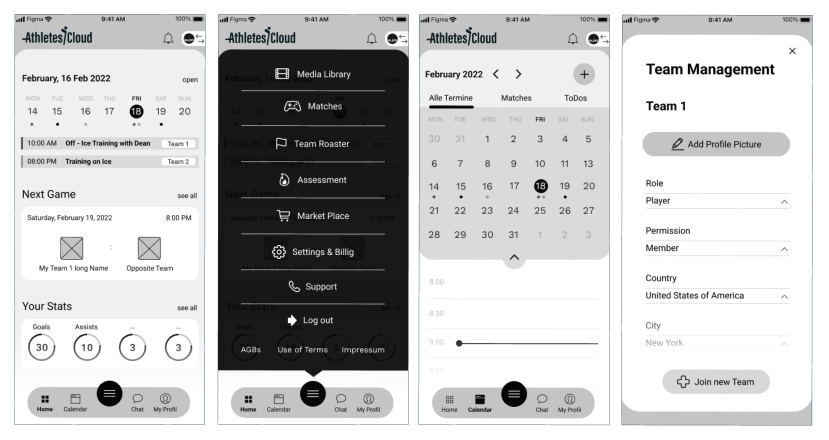
4.1 Methodologies
-
Key Path Scenario: Defines a focused user flow based on main functionality elements, serving as a basis for prototyping and usability testing.
-
Sketching & Wireframing: Involves sketching variations of features followed by iterative wireframe development, facilitating team collaboration and decision-making.
-
Expert Review: Conducts expert evaluation of wireframes to identify usability issues and optimize the solution.
-
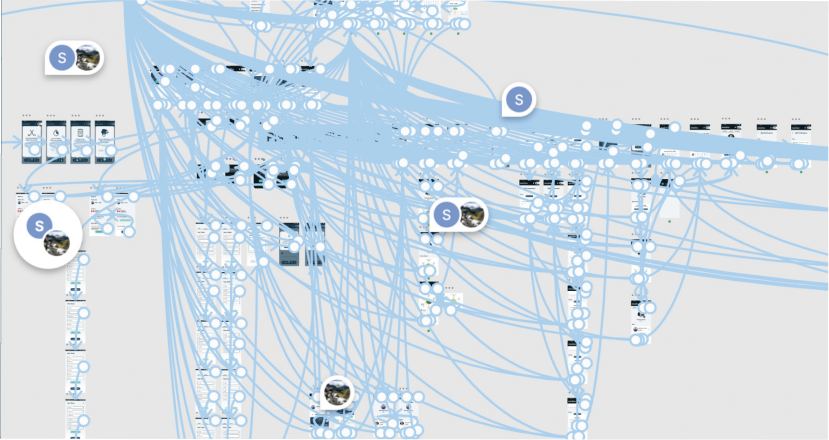
Prototyping: Develops low-fidelity prototypes to understand requirements, test user experience, and validate technical feasibility.
-
Validation Scenario: Prepares usability test scenarios based on the key path scenario and prototype status to evaluate user behavior and conditions.
-
Usability Tests: Moderates remote usability tests with real users to gather feedback and identify usability issues for iterative improvement.
5. Surface
The Visual Design phase focuses on defining the graphical presentation of elements, including layout, colors, typography, and visual treatment of graphical elements and navigation components to enhance product usability.
5.1 Methodologies
-
Moodboards: Created based on domain analysis, incorporating evocative images, representative colors, and fonts to align with the brand and create a dynamic appearance.
-
Design: Integrates wireframes into visually appealing designs, applying central design principles and considering accessibility requirements.
-
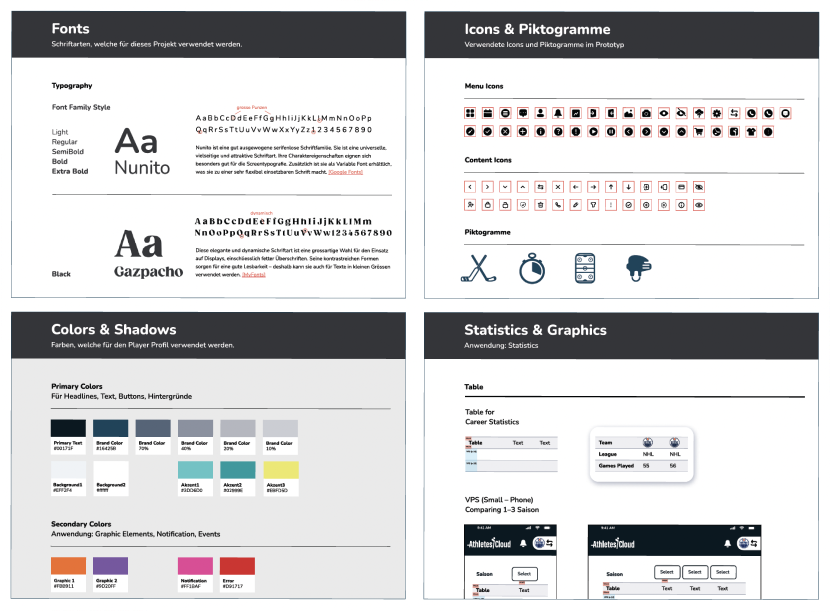
Style Guide: Documents usability guidelines of various abstraction levels to ensure consistency across different UIs.
Outcome
This structured approach has helped us create the final deliverables. Here’s below what we’ve managed to put together:
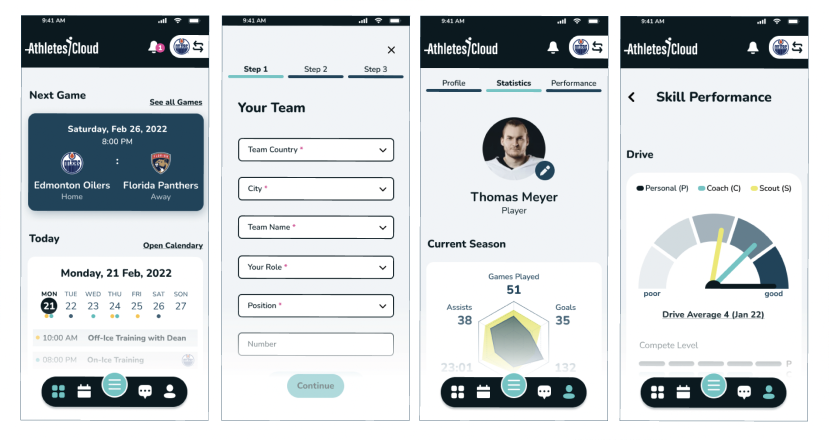
- Custom Prototype for Ice Hockey Players: We’ve developed a digital webapp called “Athletes’Cloud” tailored specifically for ice hockey players. It includes features like a splash screen, a user-friendly sign-up process, a helpful onboarding guide, and a dashboard packed with useful tools. Players can access features like a calendar, team roster management, detailed player stats, performance tracking, skill assessments, instructional videos, and a library of resources.
- Detailed Style Guide: We’ve taken the time to document all our design choices to ensure consistency across the platform. This guide is intended to make it easier for our stakeholders to maintain the platform’s look and feel in the future.
From the outset, we’ve been focused on addressing one central question: “How can we create an online space that helps ice hockey players reach their goals?”
Our solution reflects our sincere dedication to this question: The developed solution aims simplifying the lives of ice hockey players, aiding them in their quest to improve their skills and fulfill their aspirations on the ice.